Cosmetic personalization on iOS
March 22, 2024
Investigating how to visually customize iOS apps
In iOS applications, personalization can be an easy win for developers aiming to make their apps more engaging and accessible.
This study does not cover system-level UI personalization, like changing wallpapers. Instead, it focuses on a competitive analysis of cosmetic personalization services within apps.
The bare minimum
If an iOS app has the minimum amount of customization, it’s probably a setting called something like appearance, display, etc. that lets you toggle between three options: system, light, and dark.
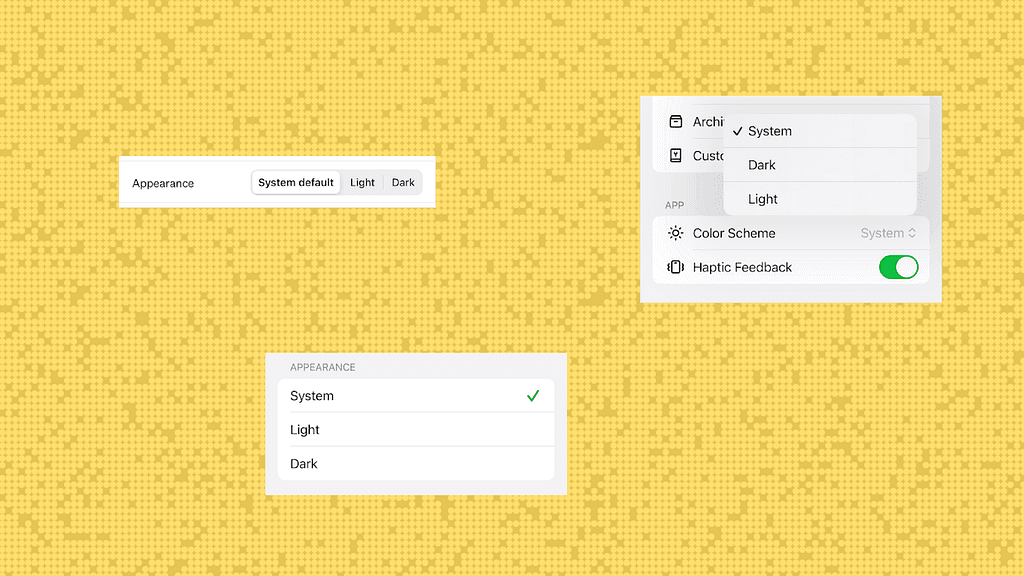
Three versions of appearance controls for adjusting to light, dark or inheriting the system default.
App icon customization: Honk • Any distance • Slack
Apps like the ones shown below, offer a variety of alternative iOS app icons for use on home screens and in notifications. These personalized features, including special app icons, are often unlocked through the purchase of a paid subscription.
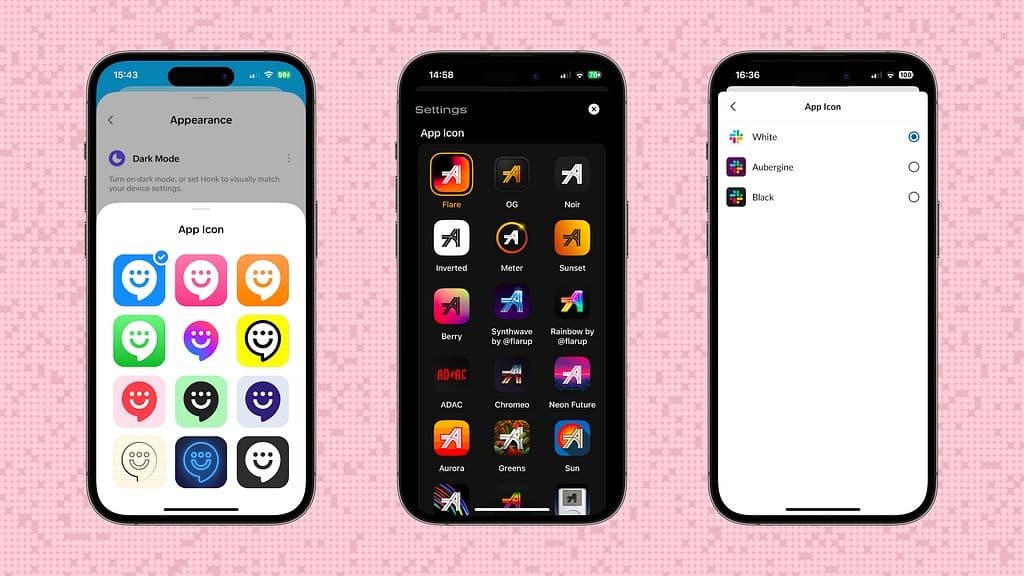
App icon customization screens for Honk, Any distance, and Slack.
Premium personalization: Reddit • Carrot • Duolingo
Reddit, Carrot, and Duolingo represent the next level of in-app personalization, accessible primarily through premium subscription plans. These apps not only provide exclusive app icons but also offer comprehensive customization options that create a more tailored experience.
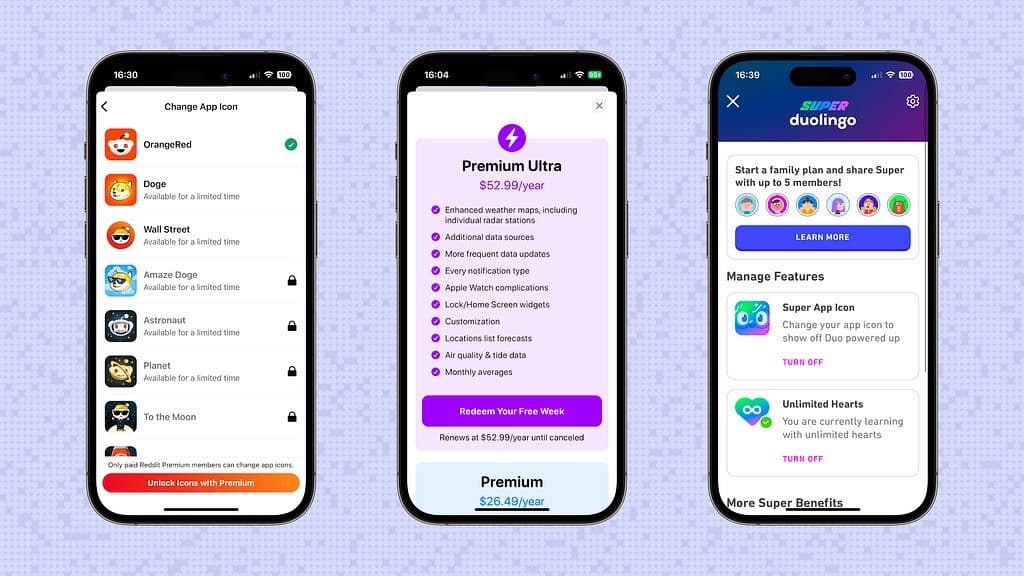
App upgrade screens for Reddit, Carrot, and Duolingo.
Premium = personalization: Carrot
Carrot boasts one of the most comprehensive cosmetic personalization controls available on any iOS app. For free, users can modify basic appearance settings like system, light, and dark modes, choose from five fonts, and adjust the text size. However, Carrot’s premium upgrade dramatically expands these options, allowing for modifications to the app layout, tab bar, weather icon sets, and app icon, along with a selection from ten theme colors. This tiered approach to personalization meets a wide range of user preferences and highlights Carrot as a prominent example of tailored app customization.
Carrot’s personalization settings experience.
Quick, simple and free themes: Reddit
Reddit’s simple theming approach stands out for its ease of use and instant feedback. When you activate the theme customization tool and pick from one of the four options, the bottom sheet retracts, instantly applying the chosen theme’s palette to the modal sheet. This streamlined personalization offering is appealing because it’s straightforward, enjoyable, and pretty effortless to tailor to your preferences.
Reddit’s theme personalization experience.
Cross-platform customization: Watch
The Watch app for iOS is a distinctive example of personalization performed on one device and implemented on another, specifically from the iOS app to the Watch. While this concept exists elsewhere, Apple’s version excels in using UIKit components to create a high quality experience.
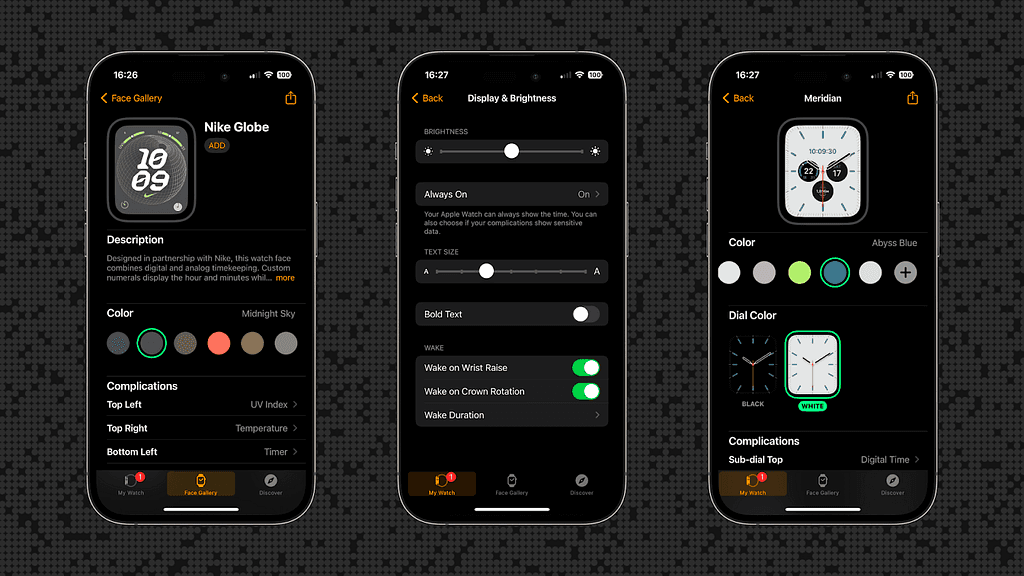
Apple Watch customization settings, highlighting color choices and display options.
High fidelity preview: Signal
Signal’s theme personalization experience includes various previews configurations, allowing users to see how colors will look on their chat screens. This gives a clear view of how color choices will be applied, making it easier to visualize the final appearance. Users can customize the color of their chat bubbles, choosing from solid colors or creating two-color gradients. They can fine-tune their selections using controls to adjust hue and saturation or the angle of the gradient.
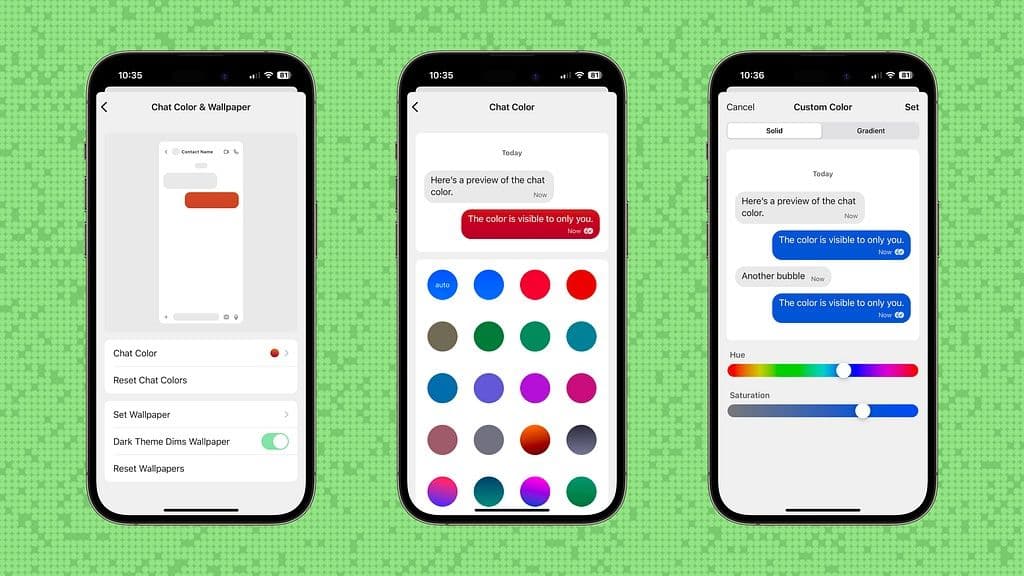
Signal’s theme personalization experience.
Dial in your custom themes: Telegram
Telegram’s themes are represented by emojis and offer a highly customizable experience. Users can tweak many aspects of the interface, including backgrounds, accents, message bubbles, and patterns, with the ability to type in hex values for precise color selection. Various preview styles make customization easy, and users can name their custom themes.
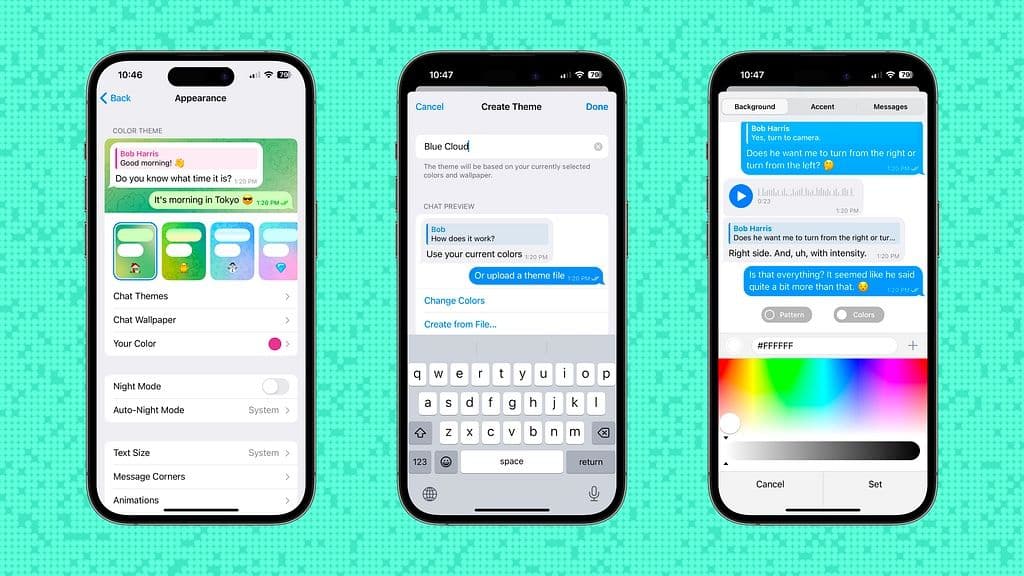
Signal’s theme personalization experience.
From basic to premium
The spectrum of app personalization on iOS presents a wide array of options that cater to various user preferences. From the simplicity of switching between light and dark modes to the intricate adjustments available in premium packages, apps provide different ways for users to make their digital space their own. Interestingly, complex cosmetic personalization controls are not commonly offered for free. This creates an opportunity for developers to enhance the perceived value of their apps. By integrating these features at no extra charge, developers can elevate the user experience and potentially redefine the benchmarks for app quality and premium feel.